
Download Sinvise Shutdown Timer – shutdown timer, computer shutdown, hibernate, restart, system protection, temperature monitor, processor load
Overview
Sinvise Shutdown Timer is a utility application designed to automate system shutdowns on Windows-based computers. The app enables users to schedule and trigger system actions—such as shutdown, restart, hibernate, or log off—based on real-time system parameters like processor load and temperature. This functionality is particularly useful for users who want to protect their hardware from prolonged stress or overheating, especially during intensive tasks like gaming, video rendering, or long-running computations. The application is ideal for tech-savvy individuals, system administrators, and anyone seeking automated control over their computer’s lifecycle without constant supervision.
By monitoring key performance indicators, Sinvise Shutdown Timer helps prevent hardware degradation caused by excessive heat or sustained high CPU usage. It offers a proactive approach to system maintenance, reducing the risk of unexpected crashes or component failure. The tool is especially beneficial in environments where computers run unattended for extended periods, such as home servers, render farms, or personal workstations. Although the developer did not provide additional technical details about the app’s architecture or background, its longevity—first released in 2010—suggests reliability and sustained functionality within the utility software ecosystem.
Key Features & Functionality
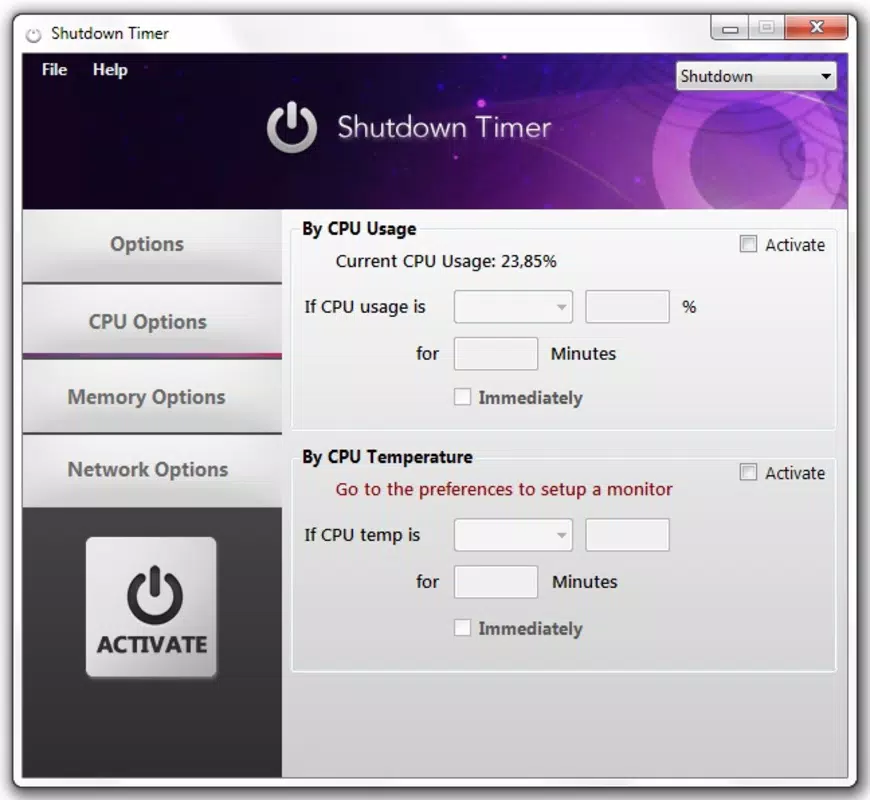
- Automated Shutdown Based on Temperature: The app can initiate a shutdown when the processor temperature exceeds a user-defined threshold, helping prevent thermal damage to hardware components.
- Processor Load Triggers: Users can set the app to respond when CPU usage reaches a specified level, ensuring the system doesn’t overwork during demanding operations.
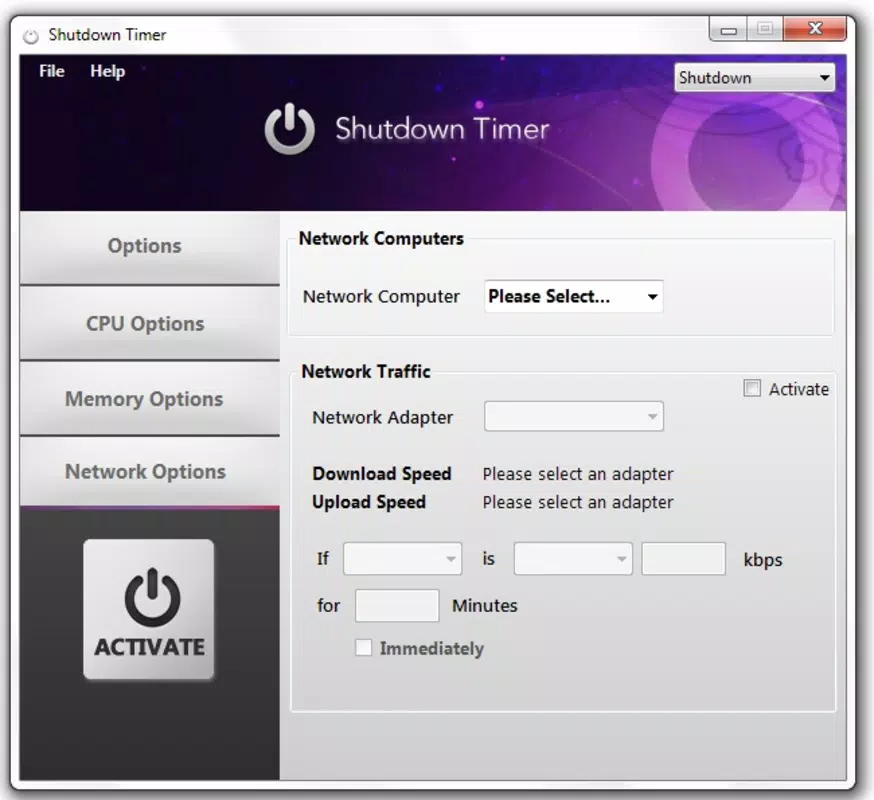
- Multiple System Actions: Beyond shutdown, the application supports hibernation, restart, blocking access, and user log off—offering flexibility across different usage scenarios.
- Real-Time System Monitoring: The app continuously tracks system metrics, providing live updates to help users stay informed and adjust settings dynamically.
- User-Friendly Configuration: The interface is designed for ease of use, allowing users to set up automated rules without requiring technical expertise.
For example, a user running a 12-hour video render can configure the app to shut down the system if the CPU temperature exceeds 85°C, safeguarding the processor. Similarly, someone using their computer for gaming can set it to hibernate after two hours of continuous use to conserve energy and reduce wear. These real-world applications demonstrate how Sinvise Shutdown Timer enhances both system longevity and user convenience.
Interface, UX & Performance
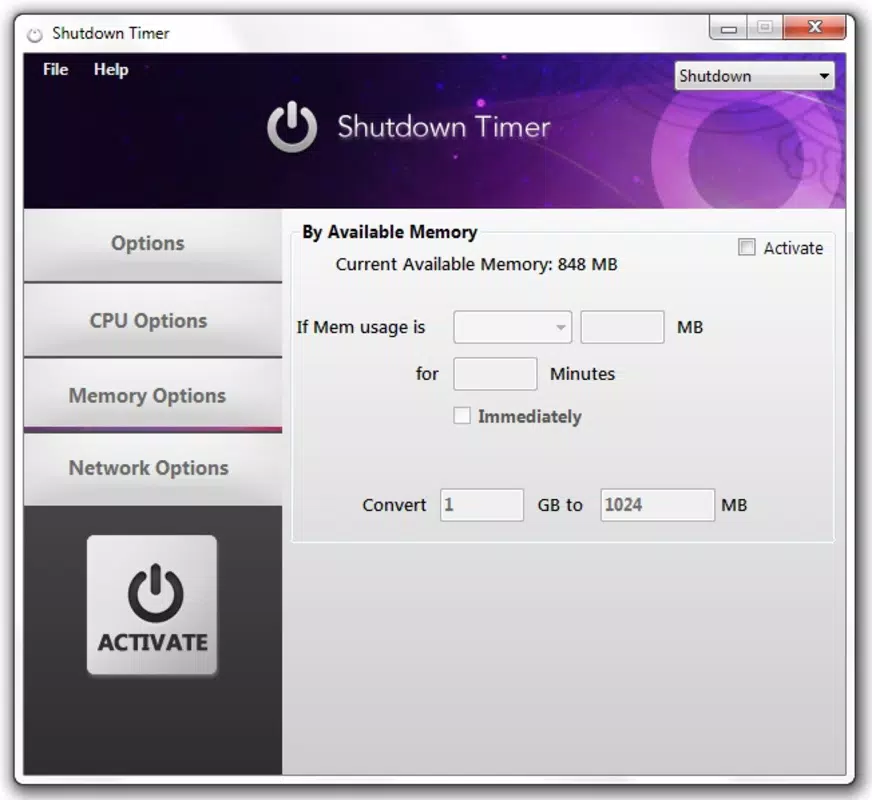
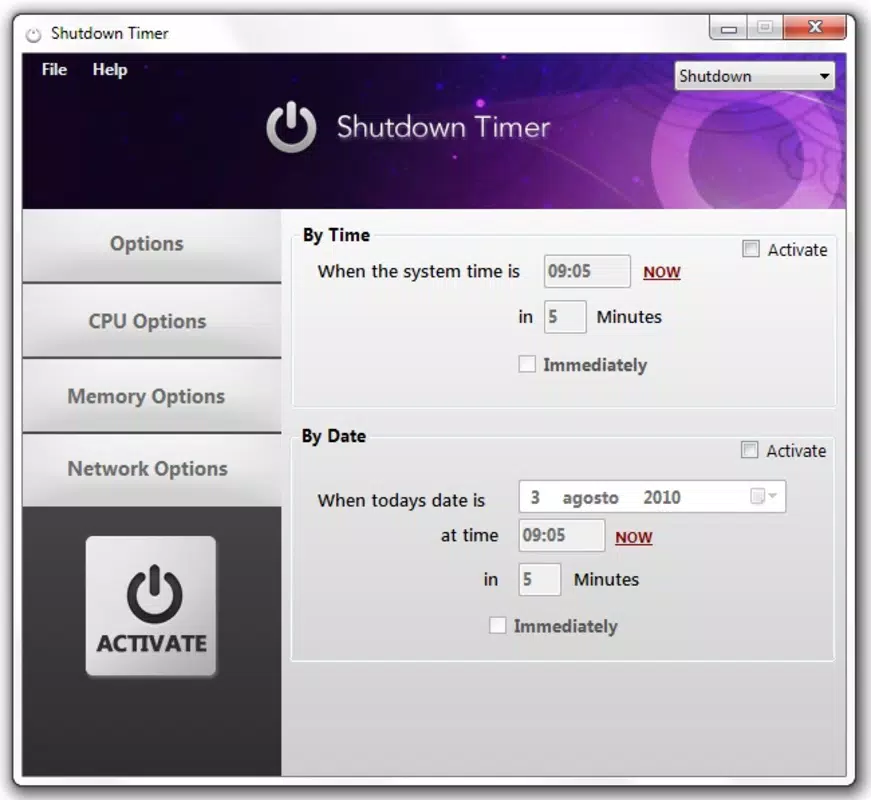
The interface of Sinvise Shutdown Timer is described as intuitive and easy to navigate, catering to both novice and experienced users. The layout appears to prioritize clarity, with logical grouping of system monitoring parameters and action settings. Users can adjust thresholds, select desired system actions, and view real-time performance data through a clean, minimalistic display. Although the developer did not list formal performance metrics, the app’s lightweight nature—only 2.5 MB in size—suggests it consumes minimal system resources, making it suitable for older or low-spec machines.
Responsiveness is expected to be consistent given the app’s straightforward functionality and small footprint. The application operates in the background without significant impact on system performance. Stability appears reliable, supported by its long-standing presence on the Windows platform since 2010. However, specific requirements for compatibility with modern Windows versions were not disclosed. Users should ensure the app is compatible with their current OS version before installation.
Platform Compatibility & Technical Requirements
Sinvise Shutdown Timer is designed for the Windows platform and requires no special hardware beyond standard system components. The app has a file size of 2.5 MB, making it a lightweight utility suitable for systems with limited storage. The software version is listed as 1.0.0, indicating a stable, mature release. The developer did not specify minimum OS requirements or compatibility details for newer Windows versions.
While the app has been available since 2010, it remains unclear whether it supports Windows 11 or recent updates to Windows 10. Users should exercise caution when installing on modern systems, particularly if they are running updated security policies or sandboxed environments. The lack of formal compatibility information means users may need to test the app in their environment to confirm functionality. No additional permissions or background services were mentioned in the provided data.
Pros and Cons
Pros
- Free to download and use, making it accessible to a wide audience.
- Lightweight application with minimal system resource consumption.
- Supports multiple system actions: shutdown, restart, hibernate, block, and log off.
- Real-time monitoring of CPU temperature and load for proactive protection.
- Intuitive interface suitable for users with varying technical skill levels.
Cons
- Compatibility with modern Windows versions was not confirmed by the developer.
- No official update history or changelog was provided.
- Developer did not list specific system requirements or supported OS versions.
- Performance on newer hardware or under high load conditions remains unverified.
- Limited information on security protocols or data handling practices.
FAQ
Is Sinvise Shutdown Timer safe to install?
The app is free and designed for system automation. However, users should ensure they download it from a trusted source to avoid potential malware. As no security details were provided, it is recommended to scan the file with antivirus software before installation.
Can I use this app on Windows 11?
The developer did not specify compatibility with Windows 11. While it may function on newer systems, users should test it in their environment to confirm full functionality.
Does Sinvise Shutdown Timer require admin rights?
Although not explicitly stated, system-level actions like shutdown and restart typically require elevated privileges. It is likely that the app needs administrator access to operate properly.
How often does the app check system metrics?
The exact polling frequency was not disclosed. However, the app claims real-time monitoring, suggesting it checks system parameters frequently to ensure timely responses.
Is there a mobile version of Sinvise Shutdown Timer?
No mobile version was mentioned in the provided data. The app is exclusively designed for Windows desktop systems.
Final Thoughts
Sinvise Shutdown Timer remains a practical utility for users seeking automated control over their computer’s power states. Its ability to respond to temperature and processor load makes it a valuable tool for protecting hardware during intensive tasks. The app’s simplicity, low resource usage, and support for multiple system actions enhance its appeal, especially for users who value system longevity and hands-off maintenance. While its age and lack of updated compatibility details may raise concerns, its core functionality remains relevant.
For anyone looking to safeguard their system from overheating or overuse, Sinvise Shutdown Timer offers a reliable, no-cost solution. Its straightforward design and focus on essential features make it a standout in the utilities category. Download Sinvise Shutdown Timer now.


